
Chitalishte (community) libraries
A good fit for small and mid-sized collections, with no server or dedicated IT staff required.
Open source · Windows · Offline · No subscription
 A complete library management system — free and open source.
Covers the library's whole workflow — cataloging, patrons and circulation, the inventory ledger, deaccession, and stocktaking. Runs offline on Windows, with no monthly fee.
Latest version InvLib 2.4.87
Built for the real, everyday work of a library. Up to version 2.4.3 the app was called „Инвентар“ (Inventar).
The software is generic by design — a library's own settings are entered once, and nothing about a specific institution is hard-coded.
A good fit for small and mid-sized collections, with no server or dedicated IT staff required.
A local system with no mandatory cloud subscription — your data stays in your own building.
One of the three kinds of library the app has been built for from the start — its registers and structure aren't tied to any particular type of institution.
An interface built around day-to-day library work — from checkout to the annual report.
Existing library software in Bulgaria often requires a paid subscription, institutional membership, or a complex server setup. For a small community or municipal library, that's a disproportionate burden for what's actually needed — an accurately kept inventory ledger and registers that comply with the law.
Every field and every rule matches something a librarian has actually filled in by hand — not a guess at what a library ought to do.
Every register required by the regulatory framework for public libraries has its own section — with automatic numbering, printing, and protected storage.
Inventory ledger per Appendix No. 4 and the fund-movement register per Art. 13(3) — all three parts: No. 1 acquisitions, No. 2 movement results, No. 3 deaccessions. With printing and PDF export.
UDC classification, authority control for authors and titles, import by ISBN (Google Books and Open Library) or a real library MARC record via SRU — defaults to the Library of Congress, ready for the Bulgarian national library/COBISS with your own access. The author-mark (Cutter) table is built in — the Suggest button fills in the shelf mark.
Patron cards, loan periods and renewals by category, ready-to-send overdue reminder texts for email and SMS (editable templates — the app prepares them, you send them from your own mail client or phone), a patron account with receipts. If a lost book turns up, "Item found" restores its status and offers to reverse the replacement charge.
Fund and patron-card labels (Code 39), printing on A4 sheets or roll printers, USB barcode scanner support.
Every one of the app's 24 printable documents is shown on screen first, before it reaches the printer.
Write-off acts under Art. 30–39, with committee, grounds, and a list of the affected items.
Representative check under Art. 40(2) — at least 10% of the fund per year, with progress tracking. Including mobile scanning with a phone.
Analytical records of articles in the local press, profiles of local figures and the chitalishte's chronicle — all three linked to each other and to the collection.
Subscriptions and receipt of newspapers and magazines, kept separate from the book collection.
Interlibrary loan with requests and due dates, reservations of items on loan, and purchase suggestions from patrons.
Flagging patrons who are served at home, for reporting to the methodological centre.
The library's Section A/B journal, modeled on the official electronic journal, plus annual statistical reports.
The app publishes the catalog to a GitHub repository, and a page on the library's own website reads it live — no server, no patron data exposed.
Export to UNIMARC/MARCXML, Dublin Core, and CSV. Import a fund from a table — CSV, TSV, or Excel (.xlsx), with manual column mapping: for a library coming from AB, iLib, or its own spreadsheet.
National ID numbers under a password, anonymization of old loans, and erasing a patron under GDPR Art. 17 — details under Security and privacy.
A shared database across multiple library workstations, with a per-employee audit trail. Suited to a handful of workstations in one building — it is not a client-server system.
New versions are delivered directly through GitHub Releases, with no manual reinstall.
The app's real interface, loaded with sample data.
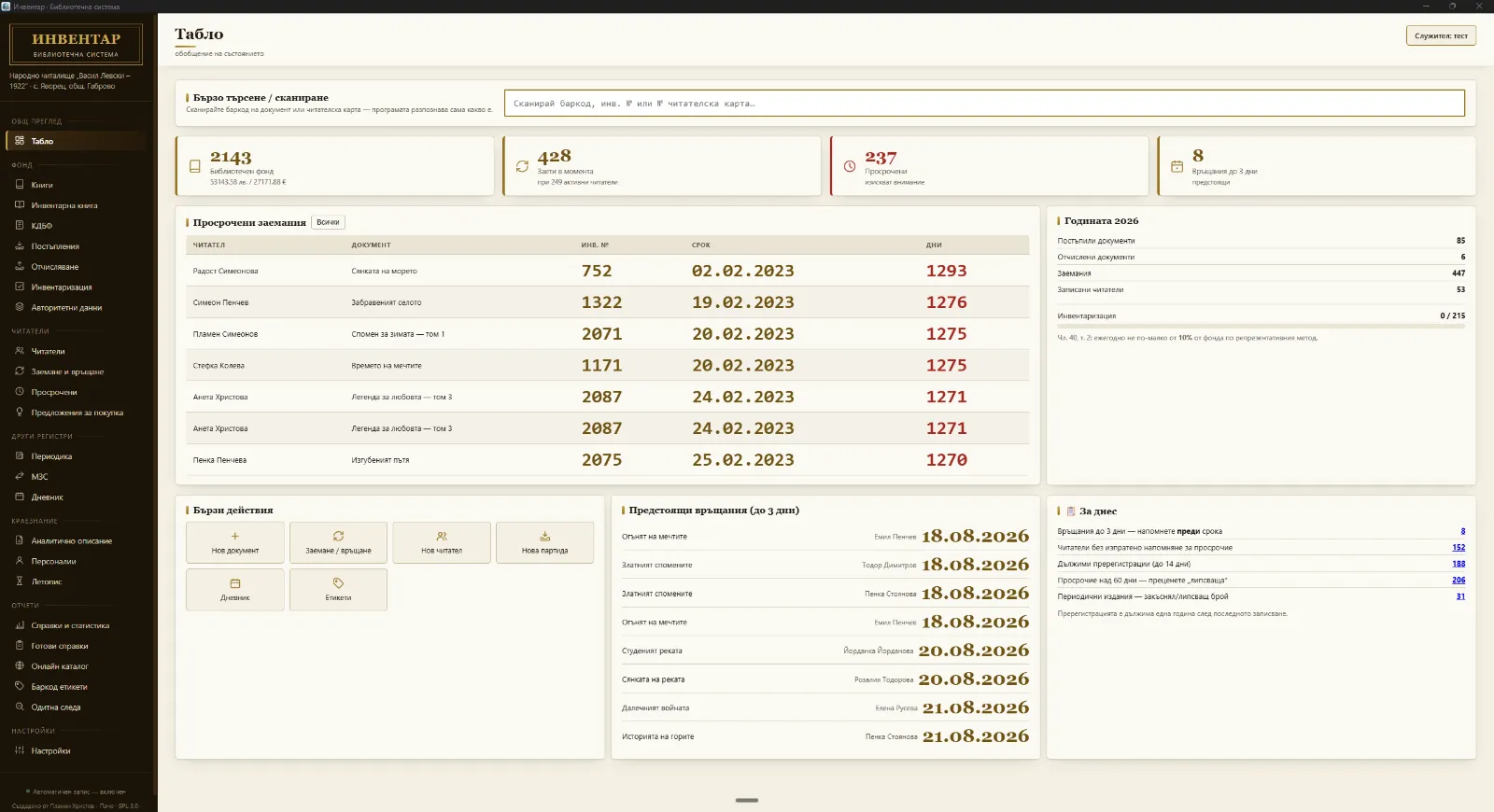
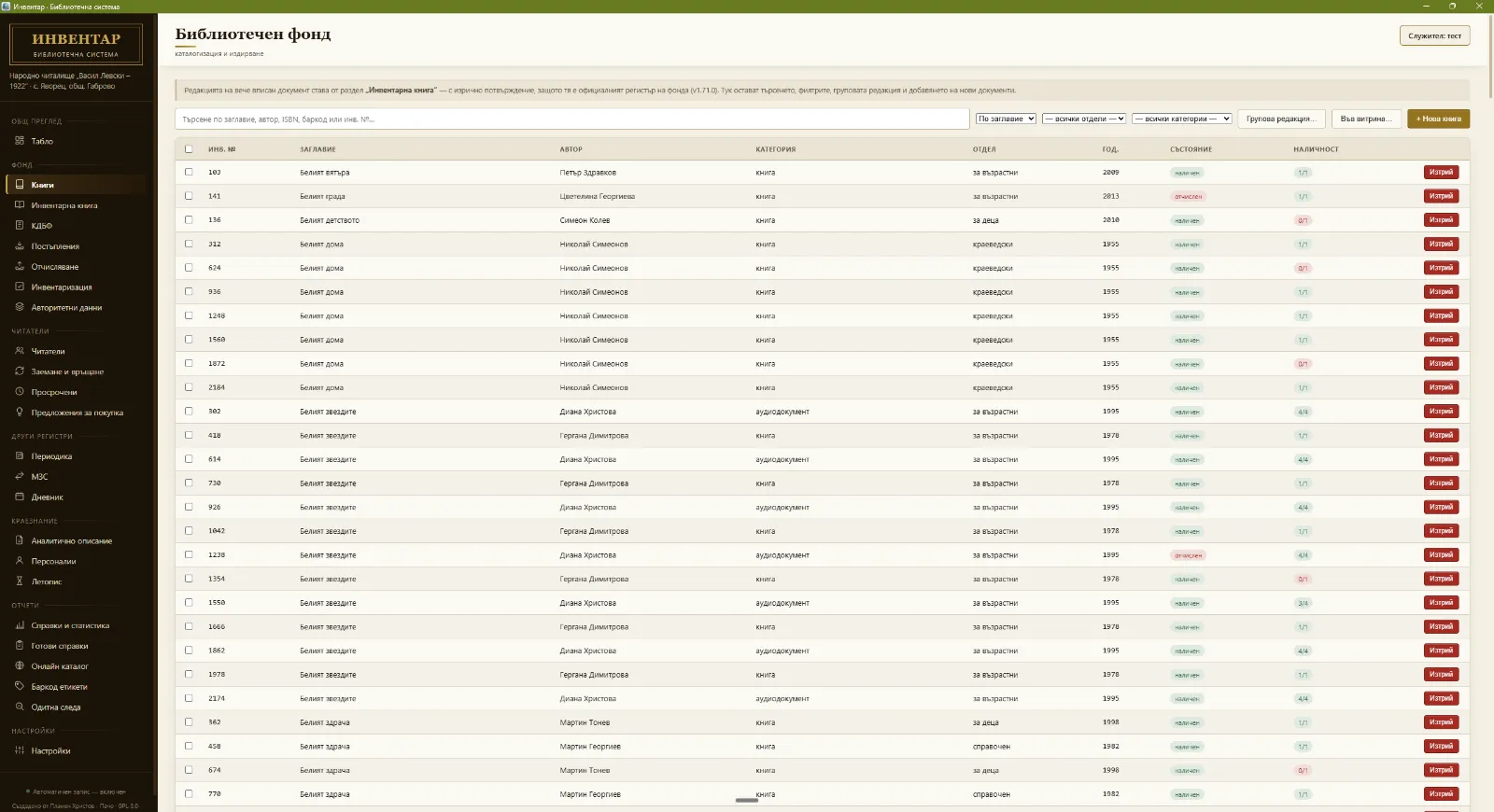
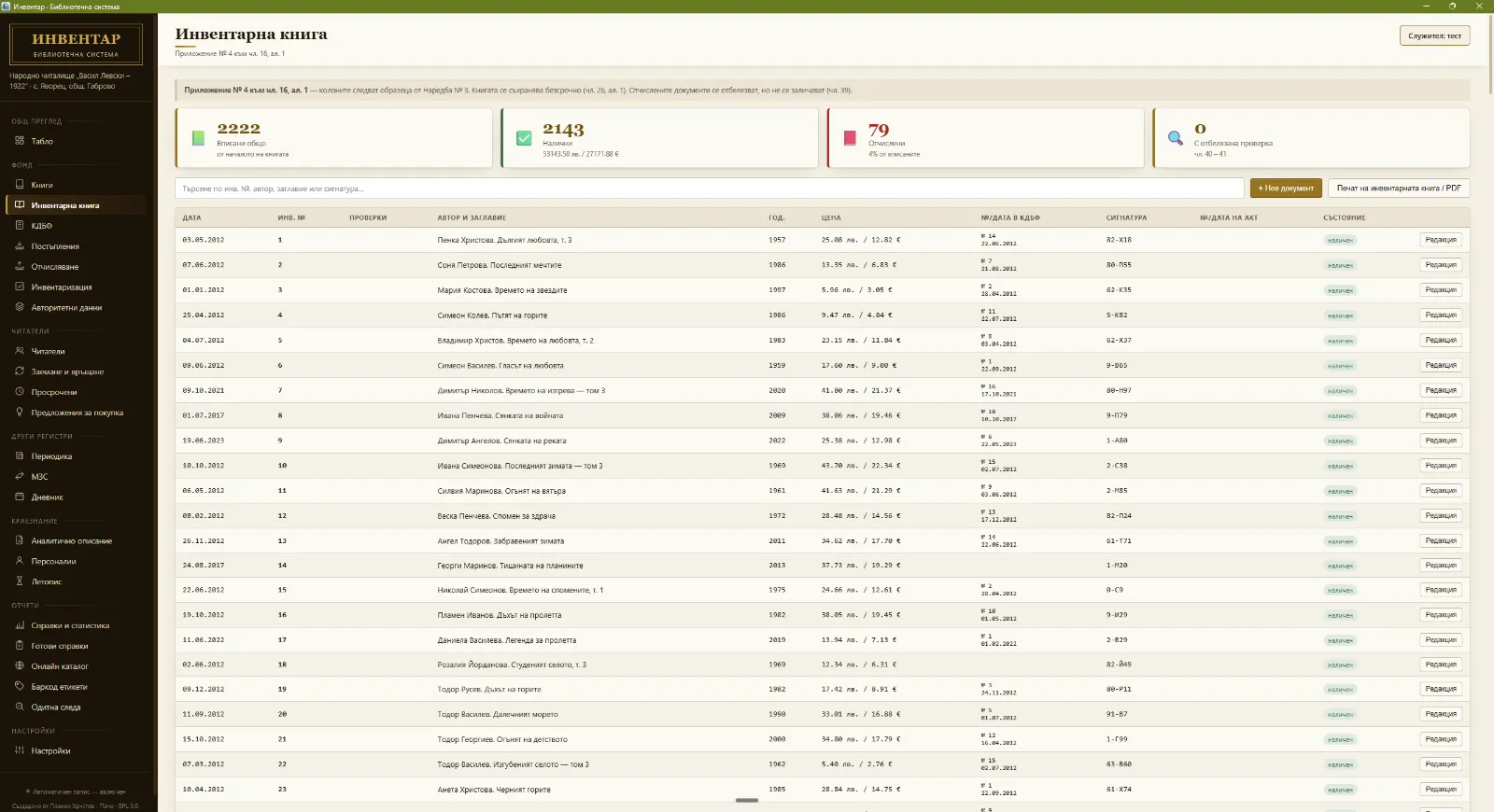
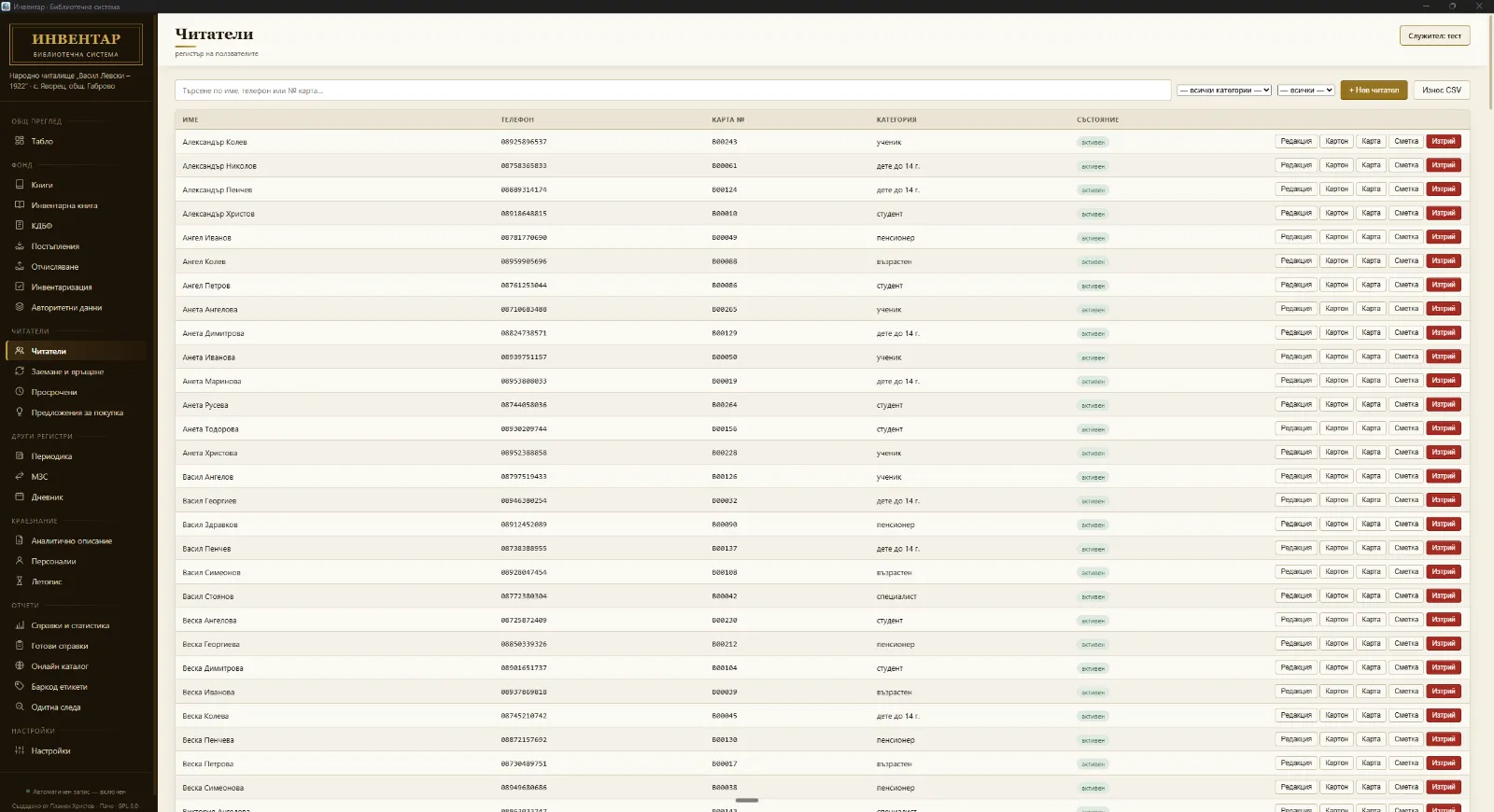
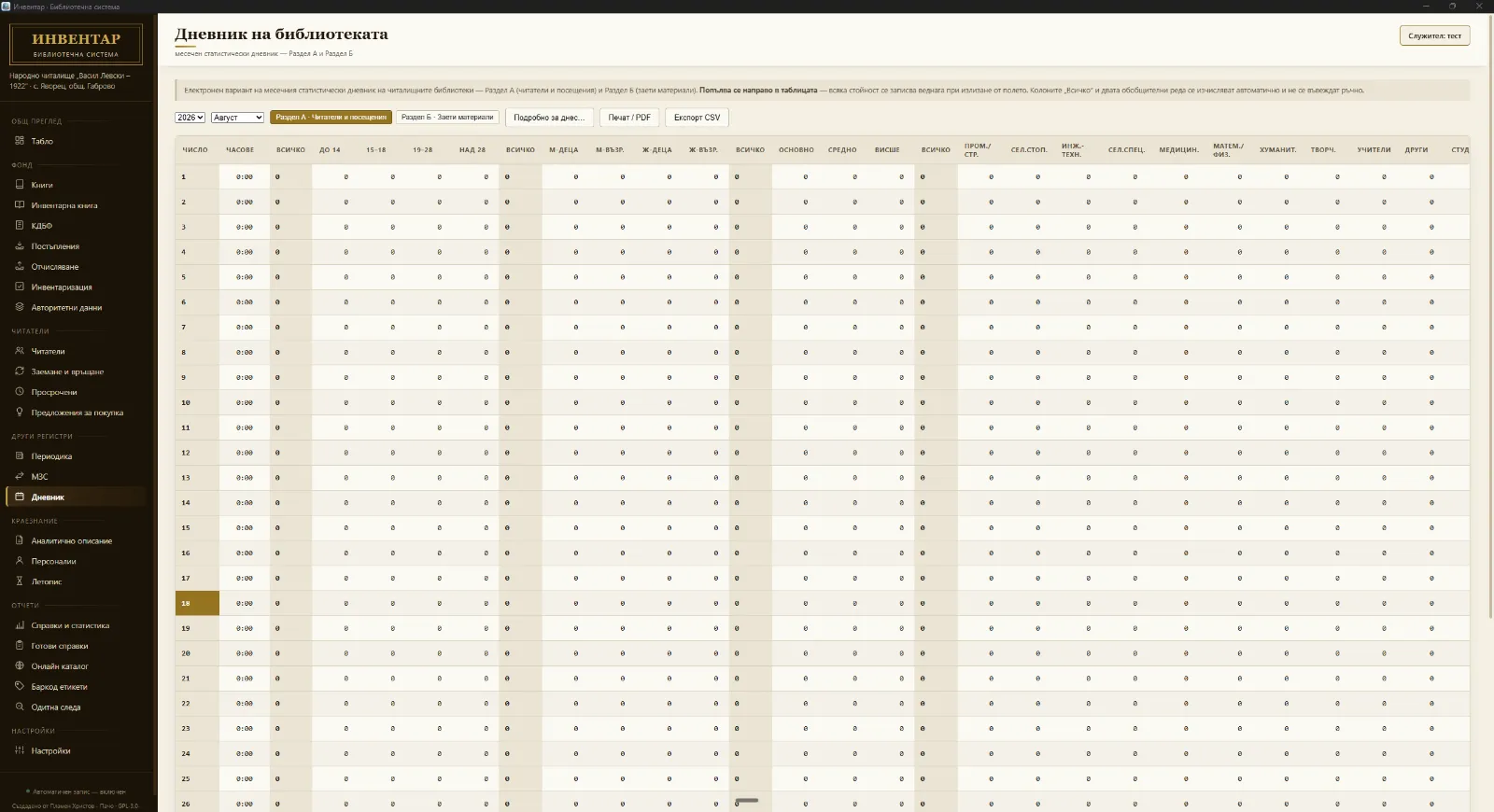
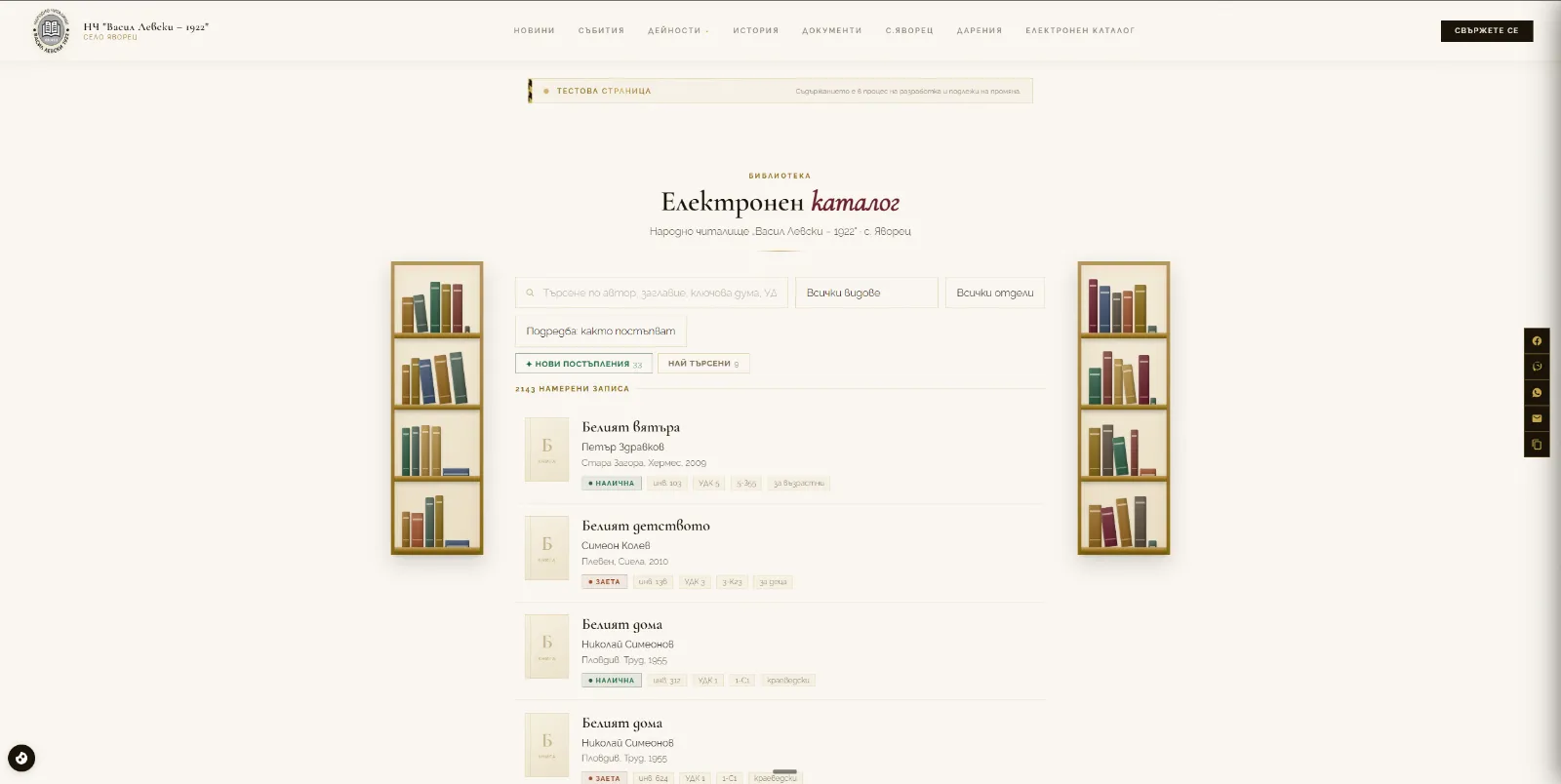
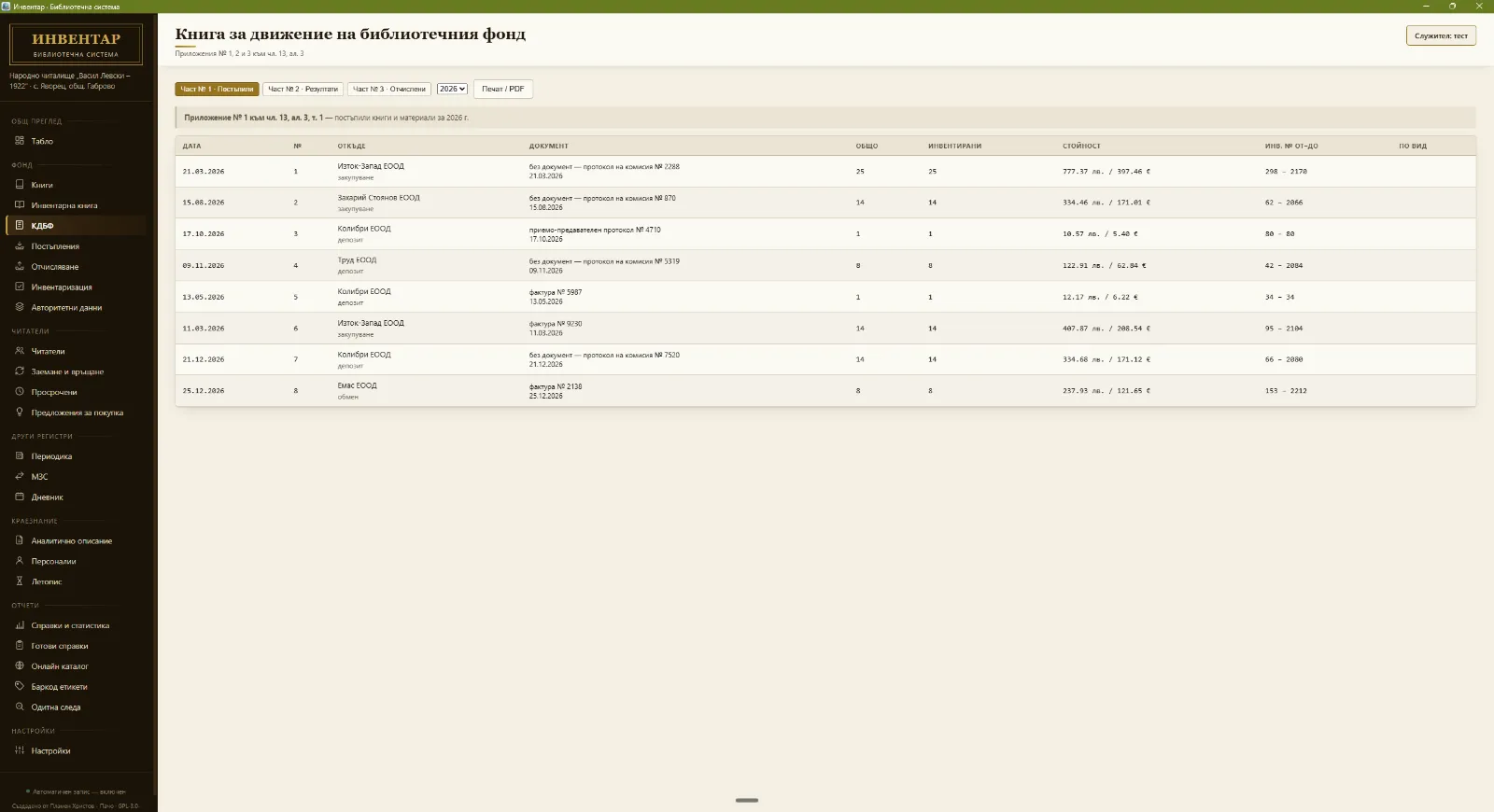
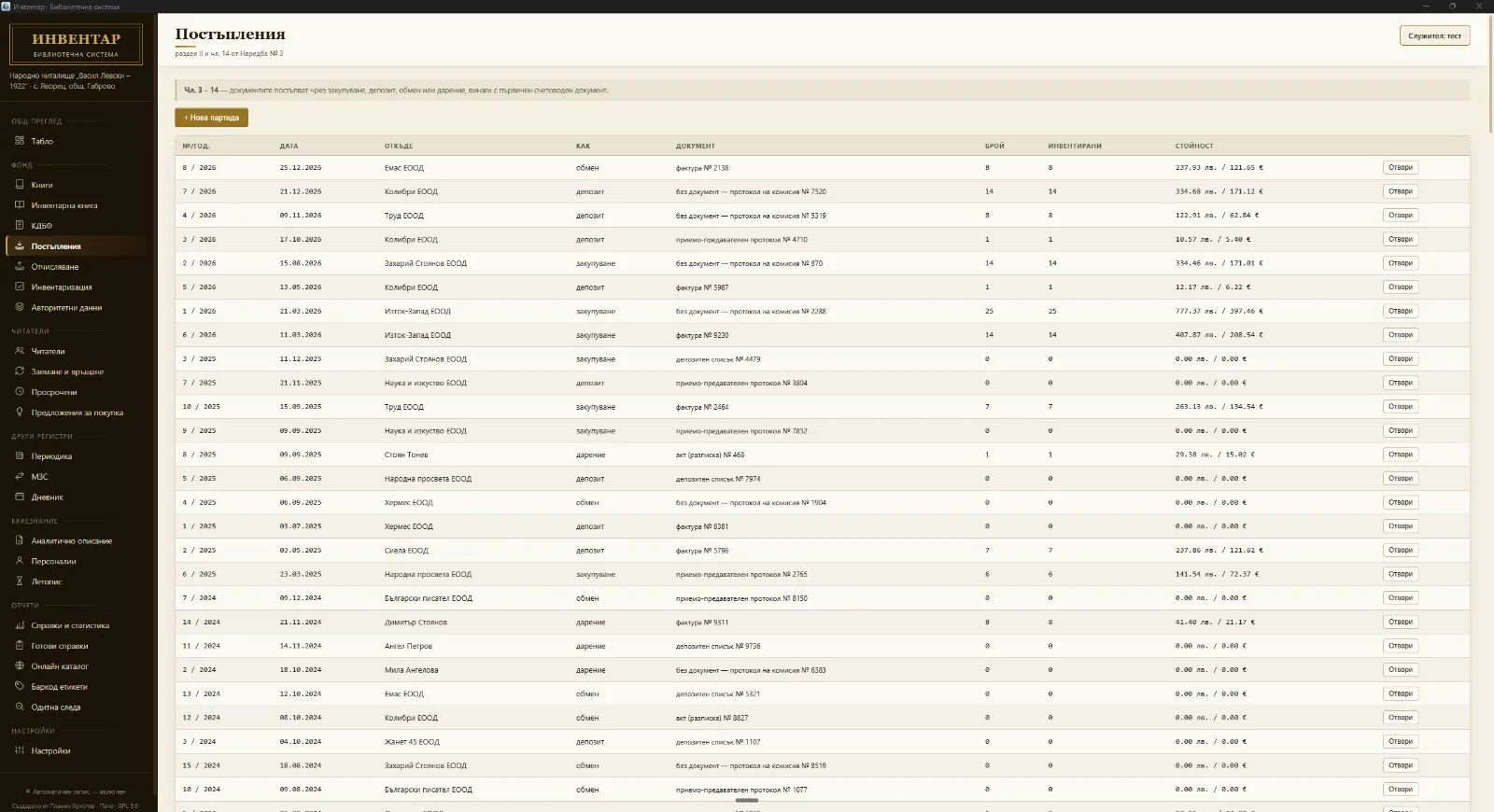
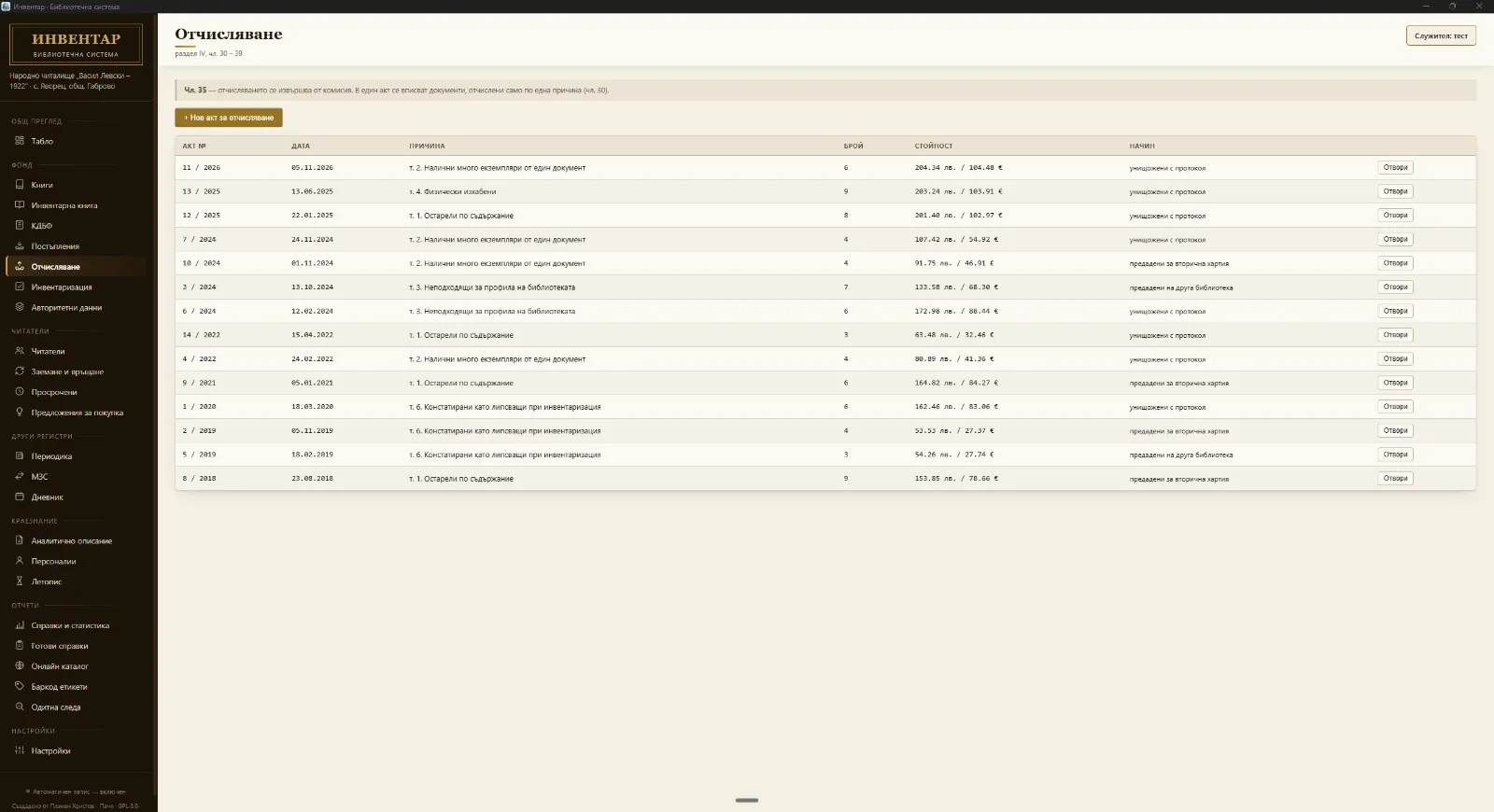
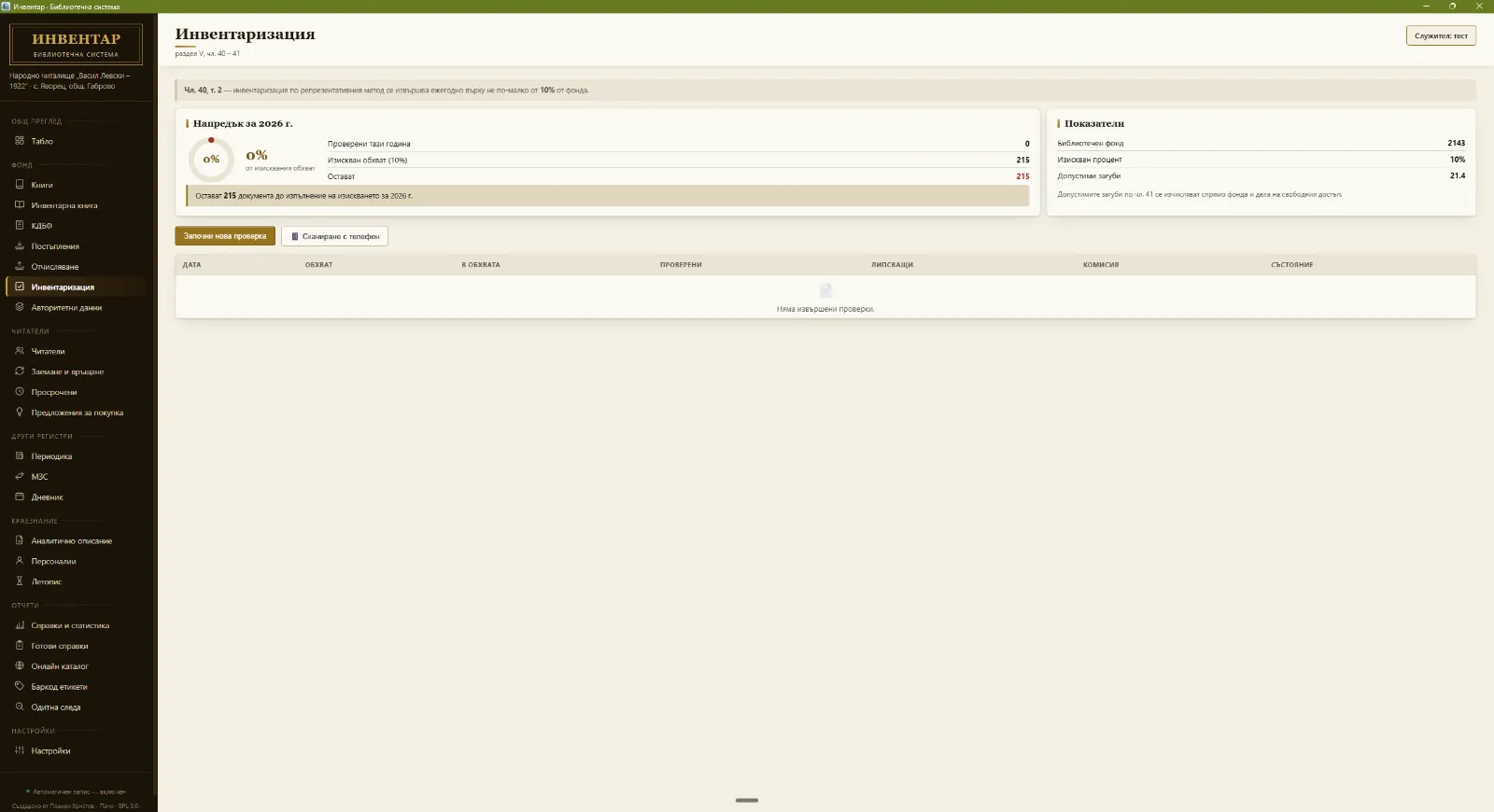
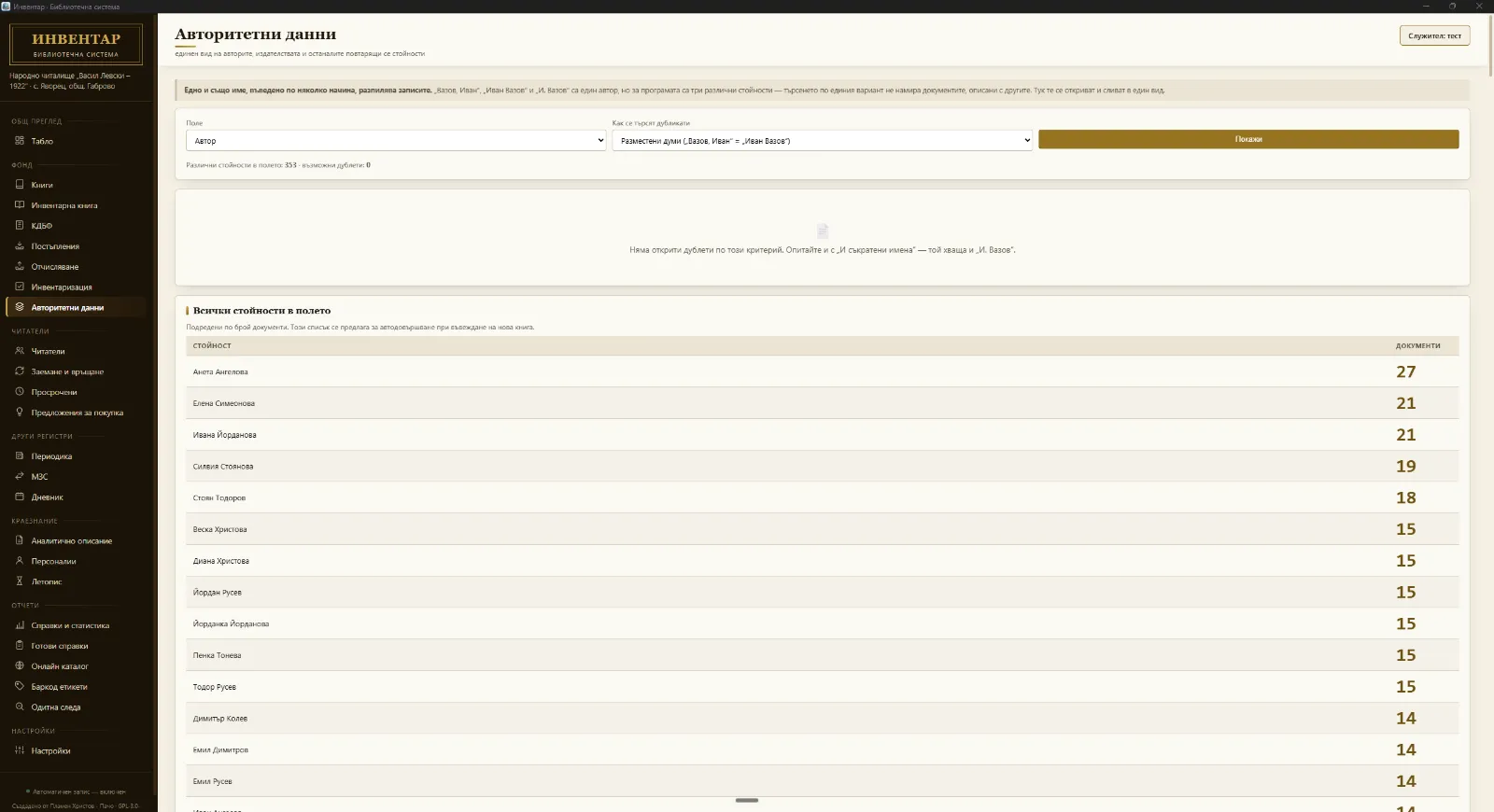
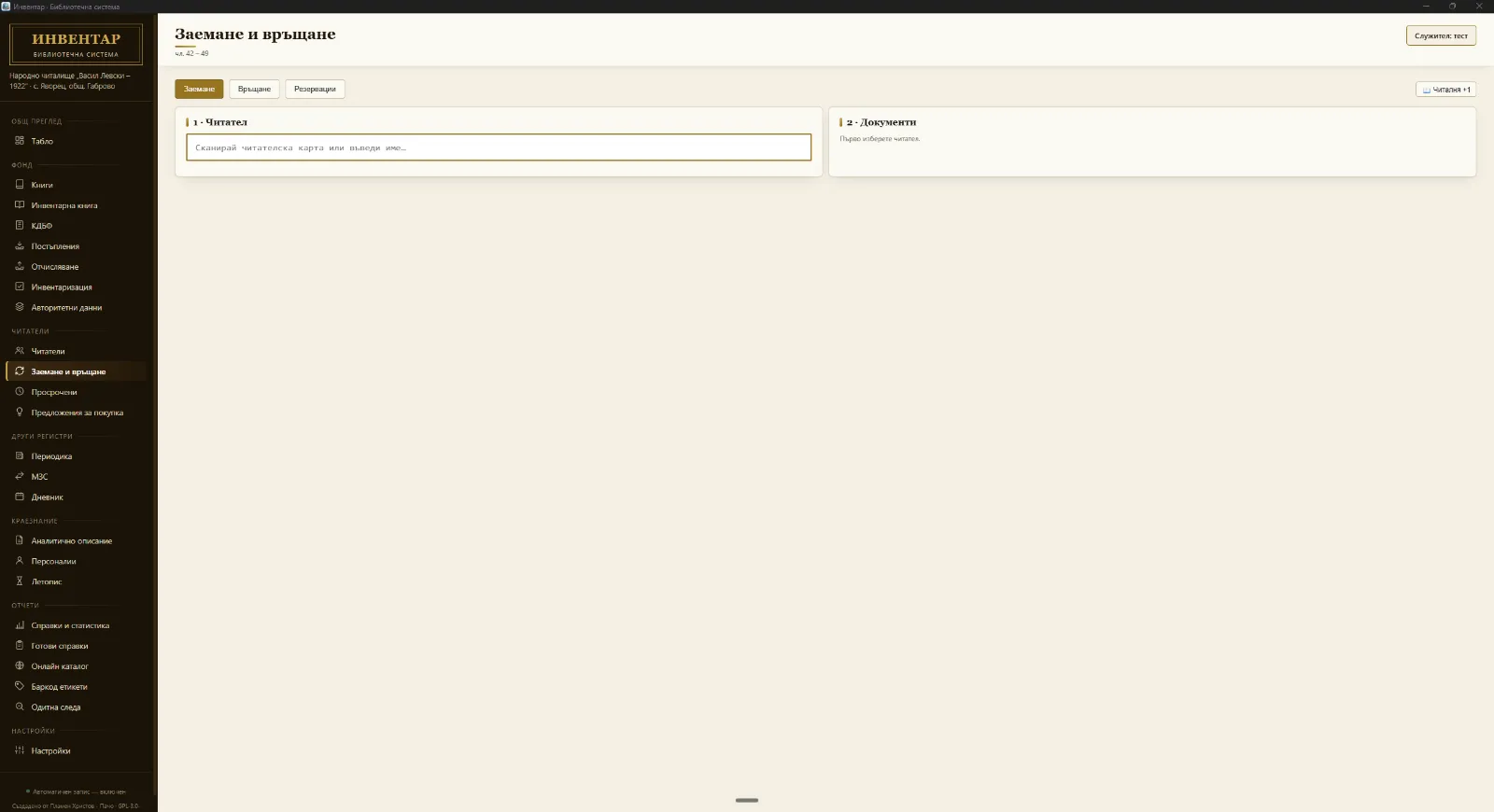
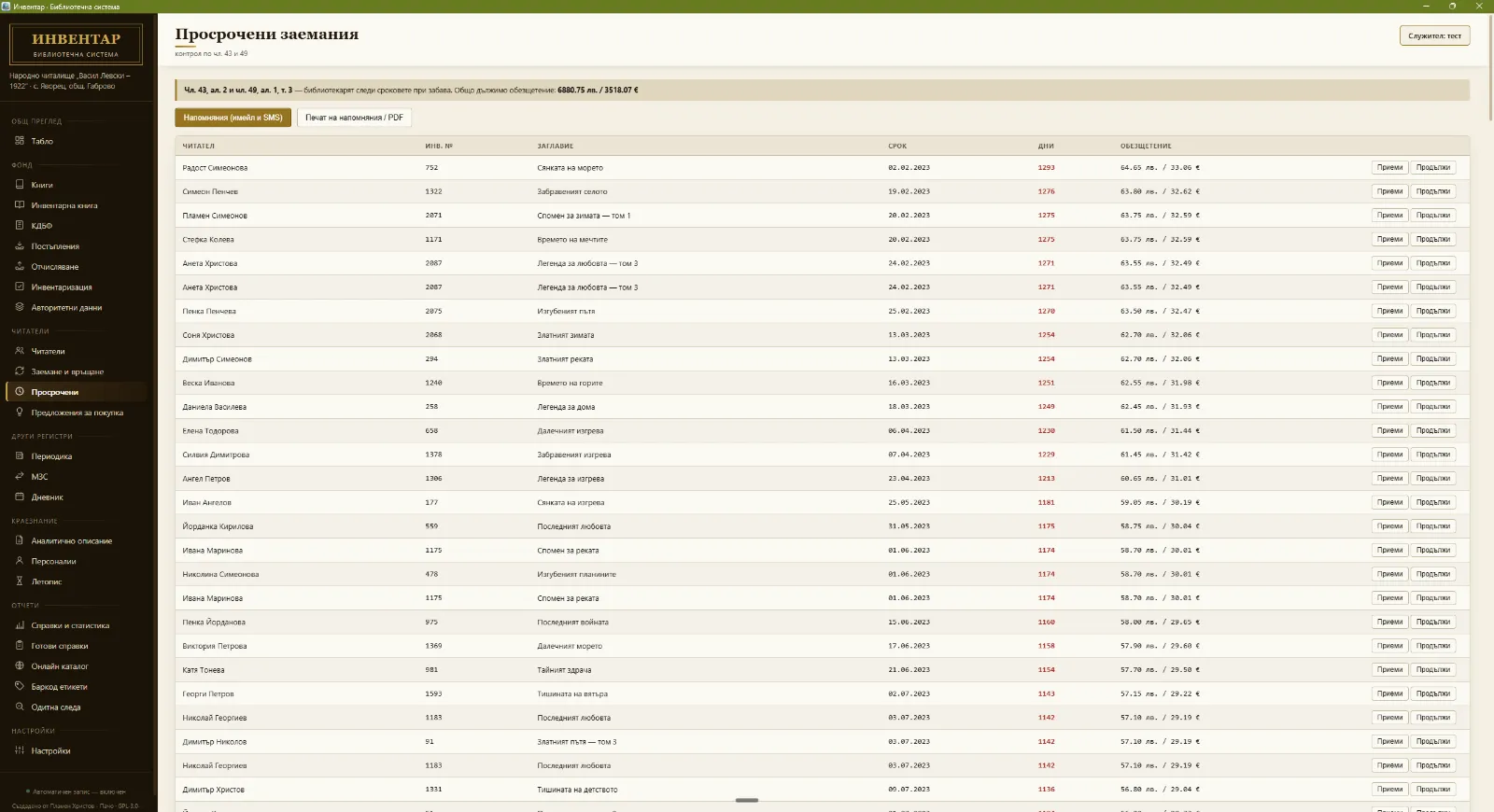
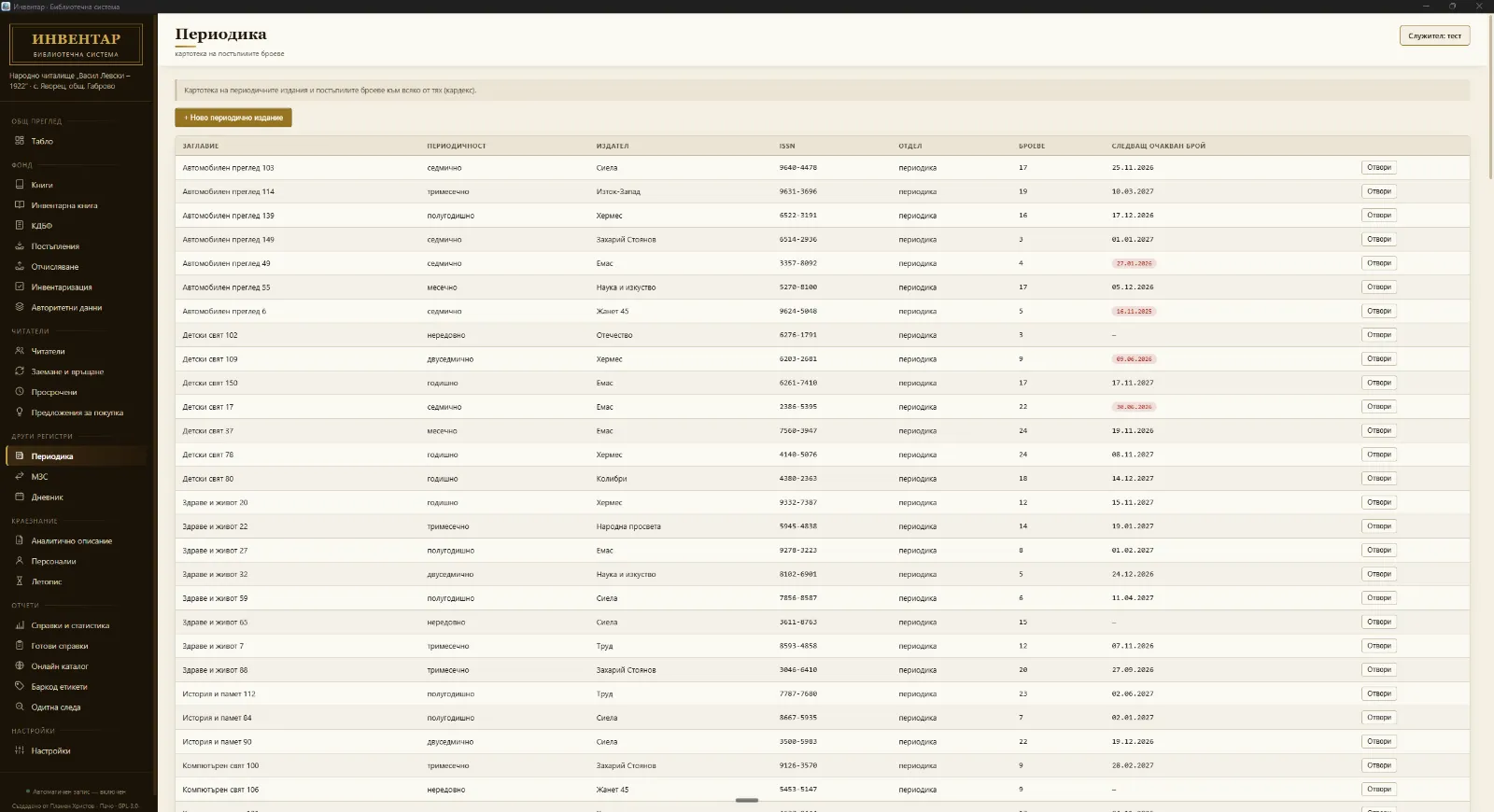
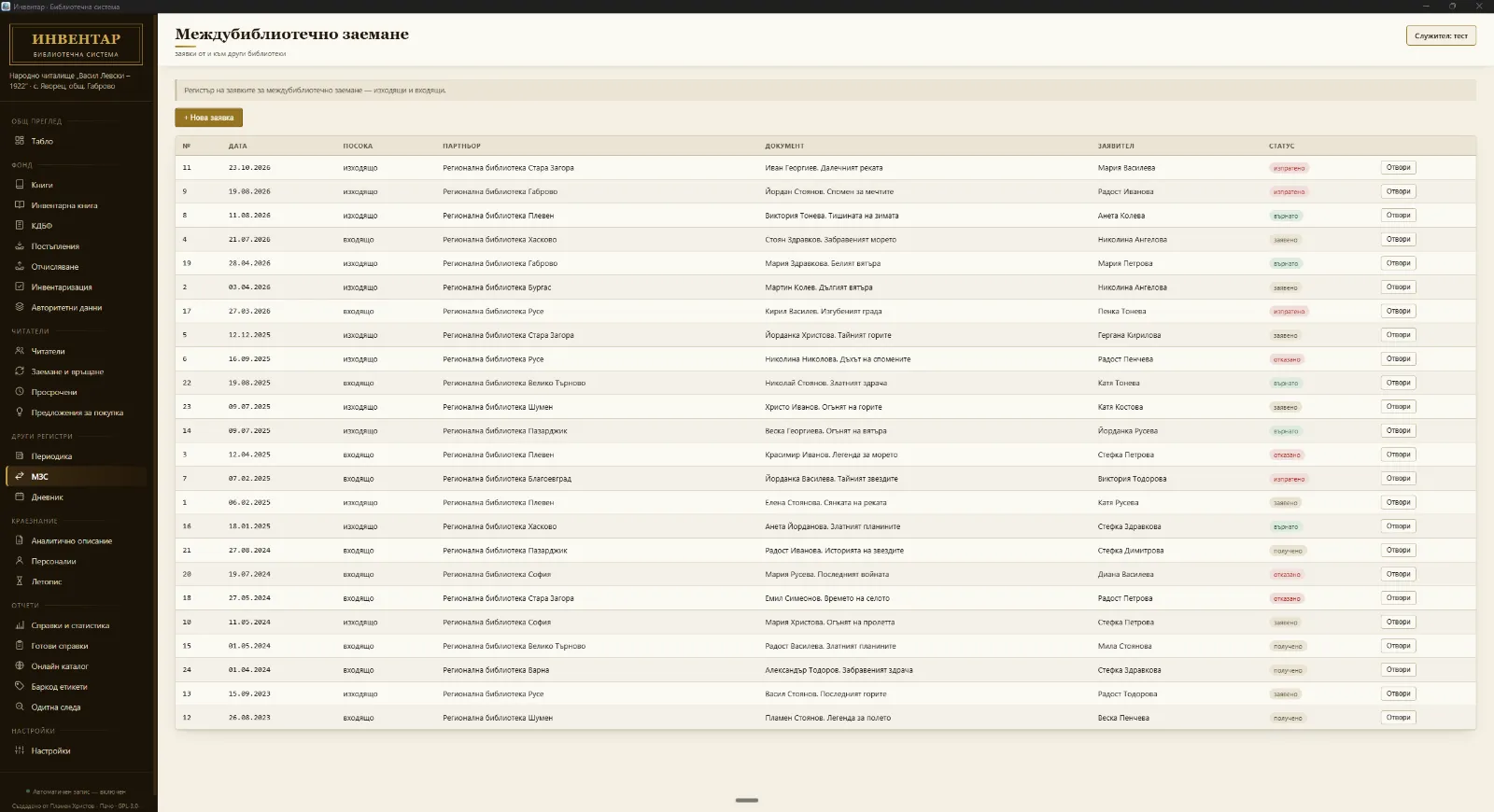
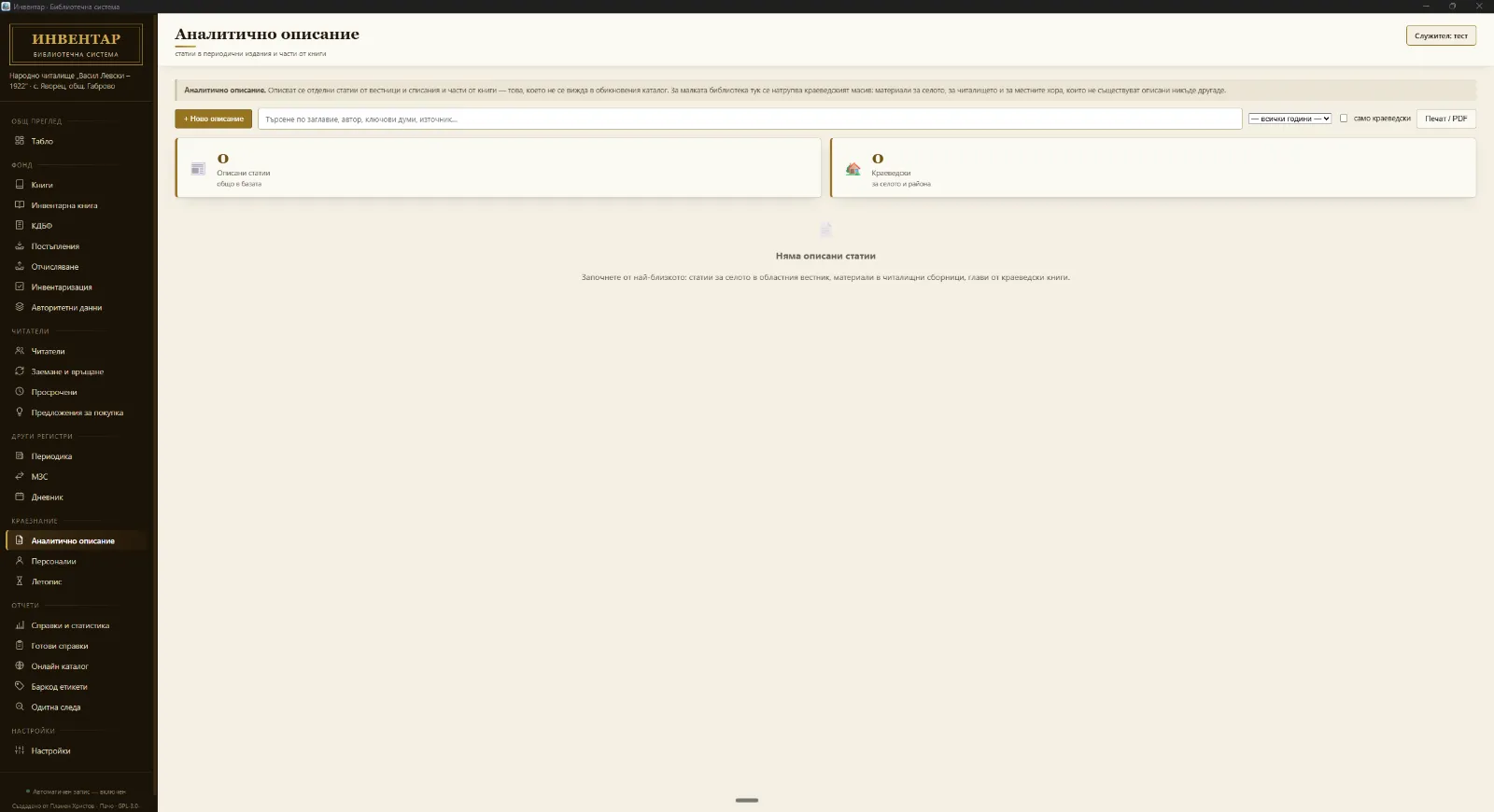
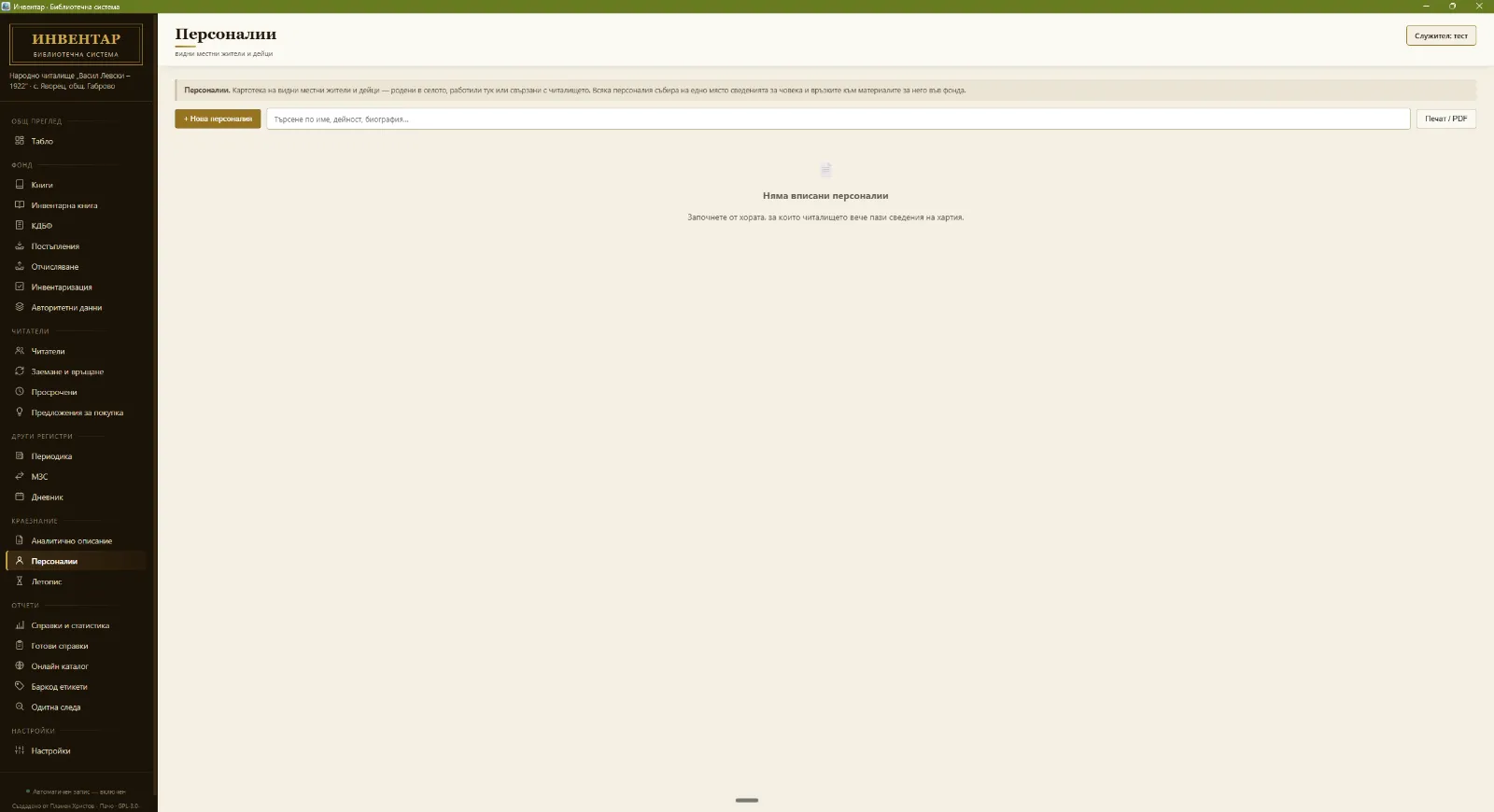
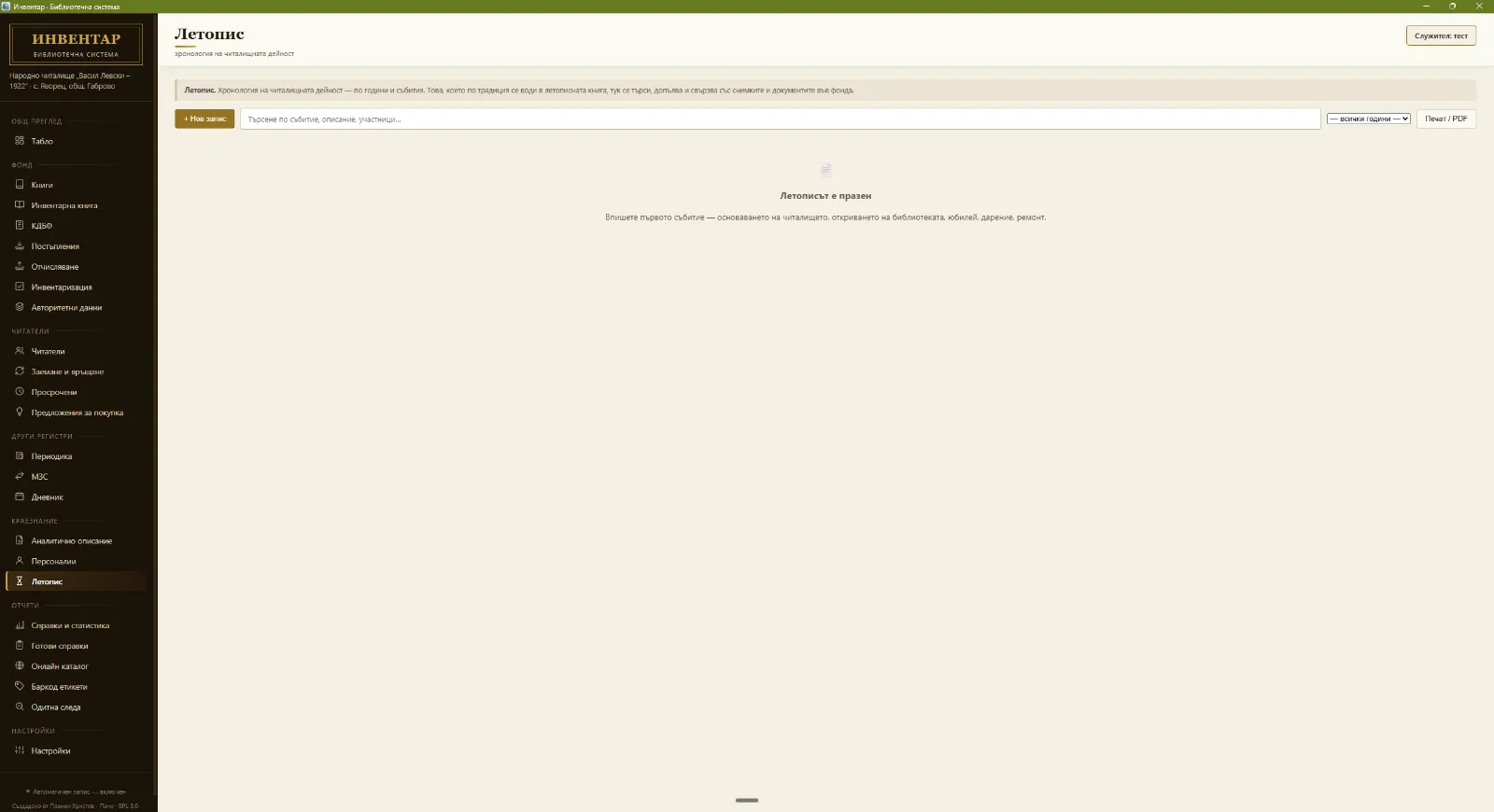
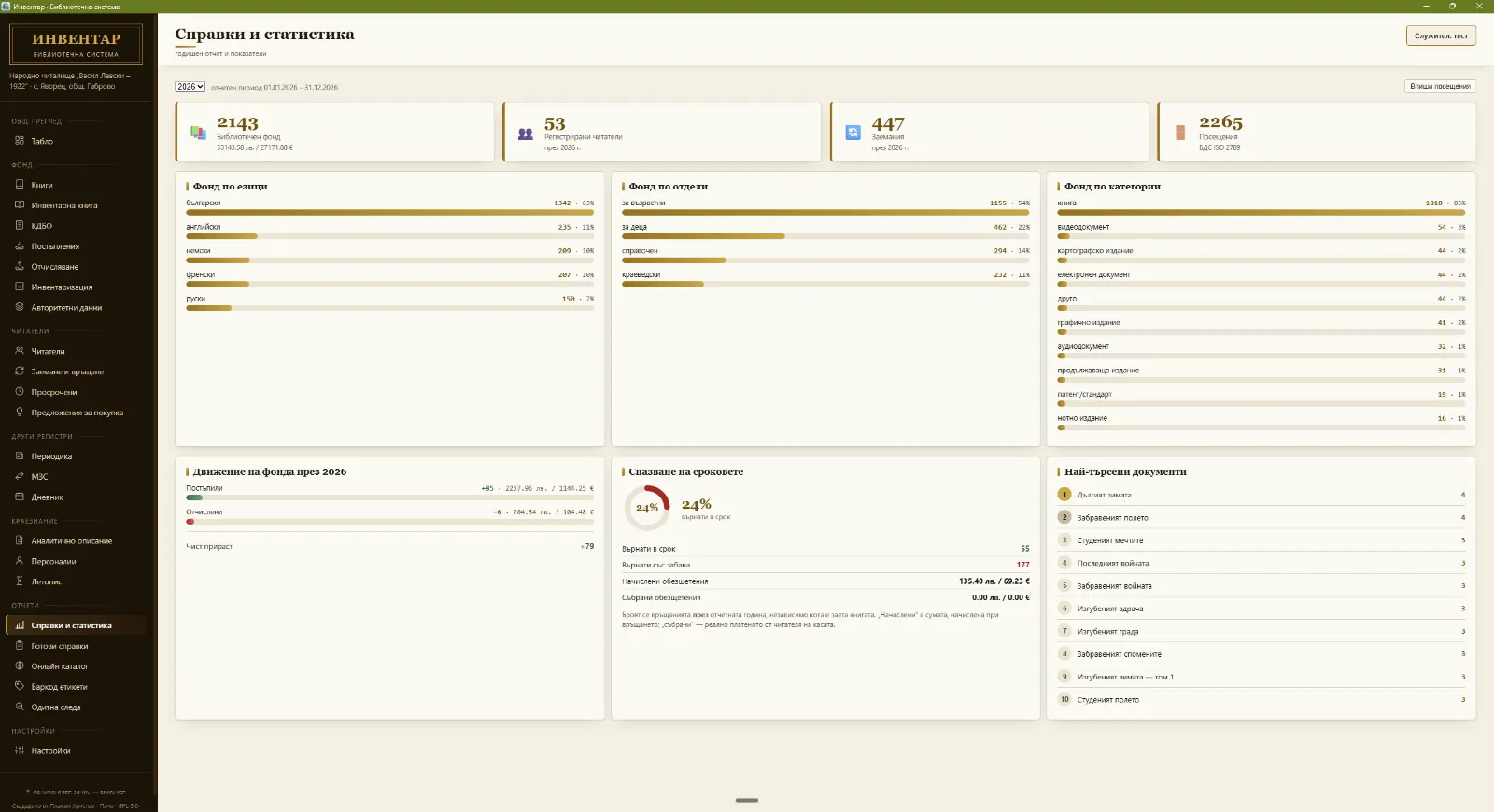
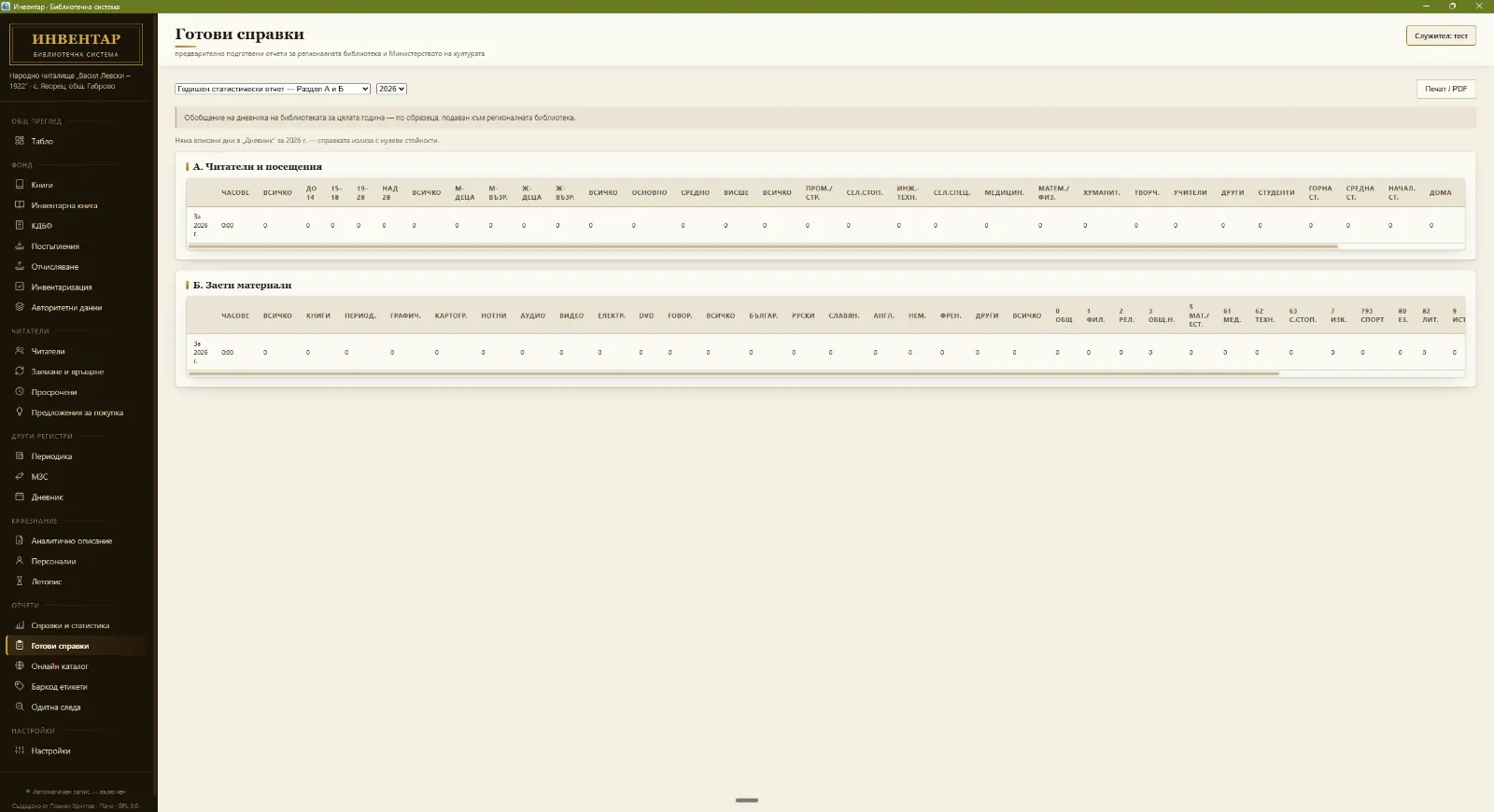
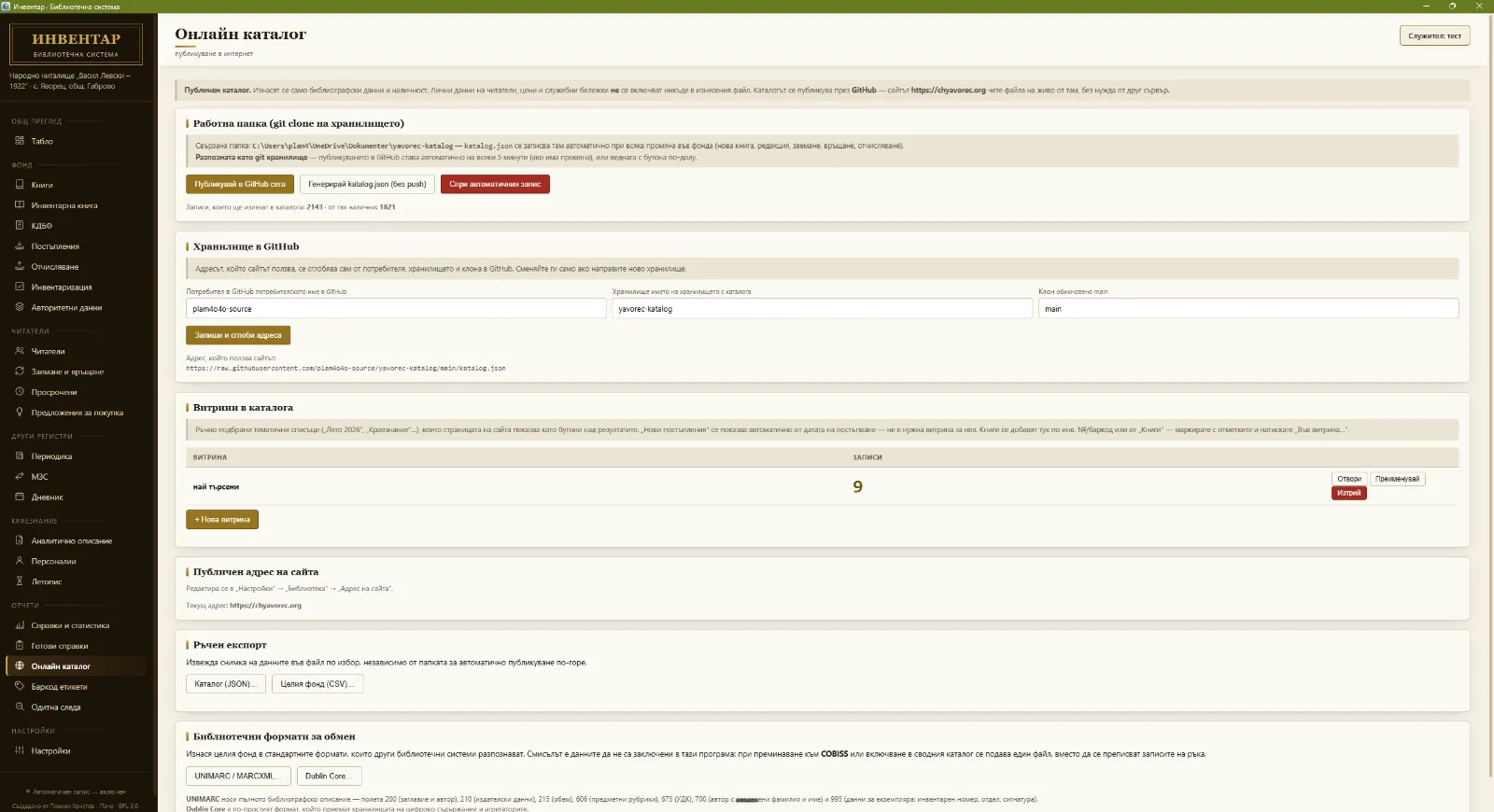
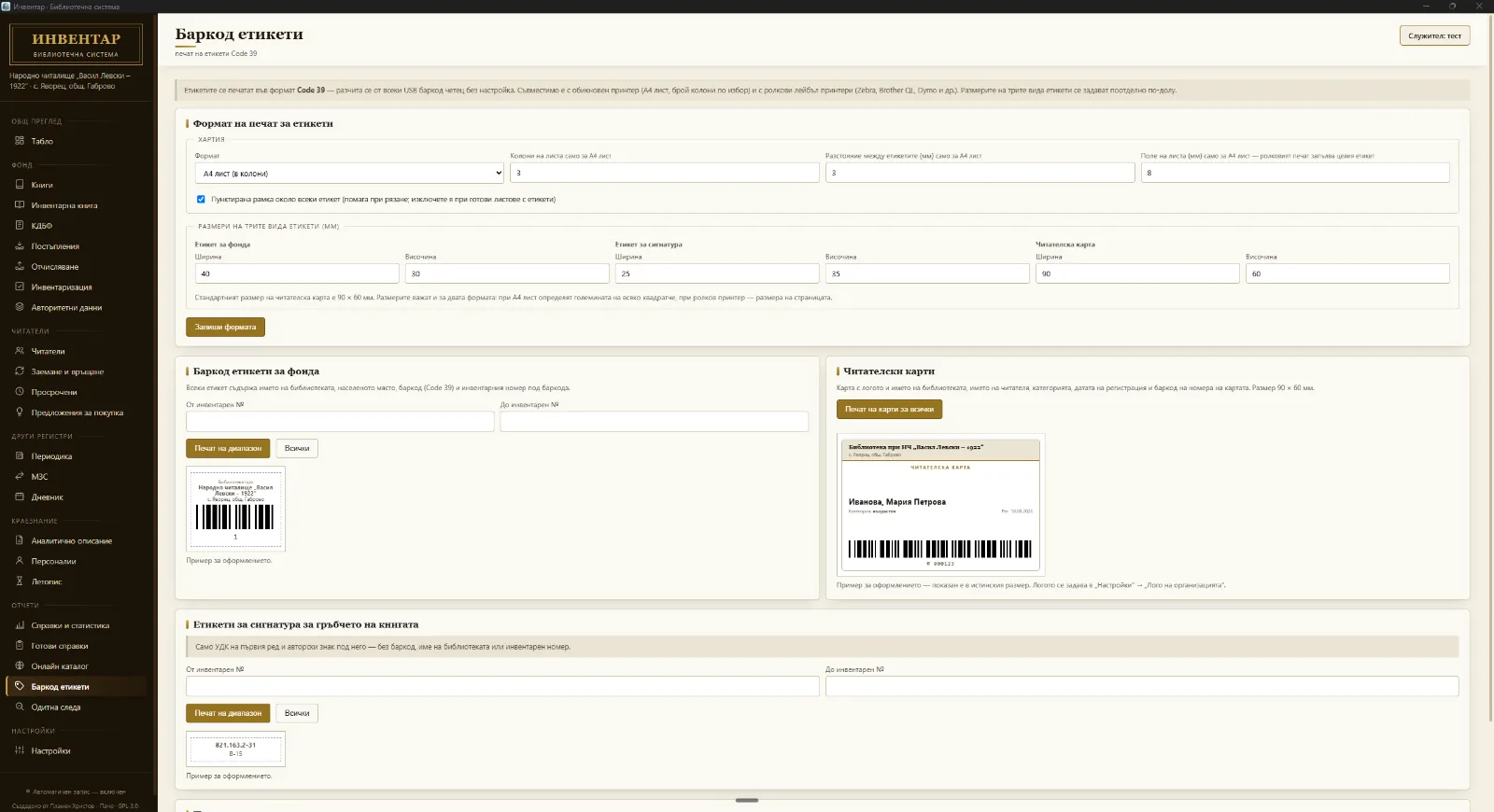
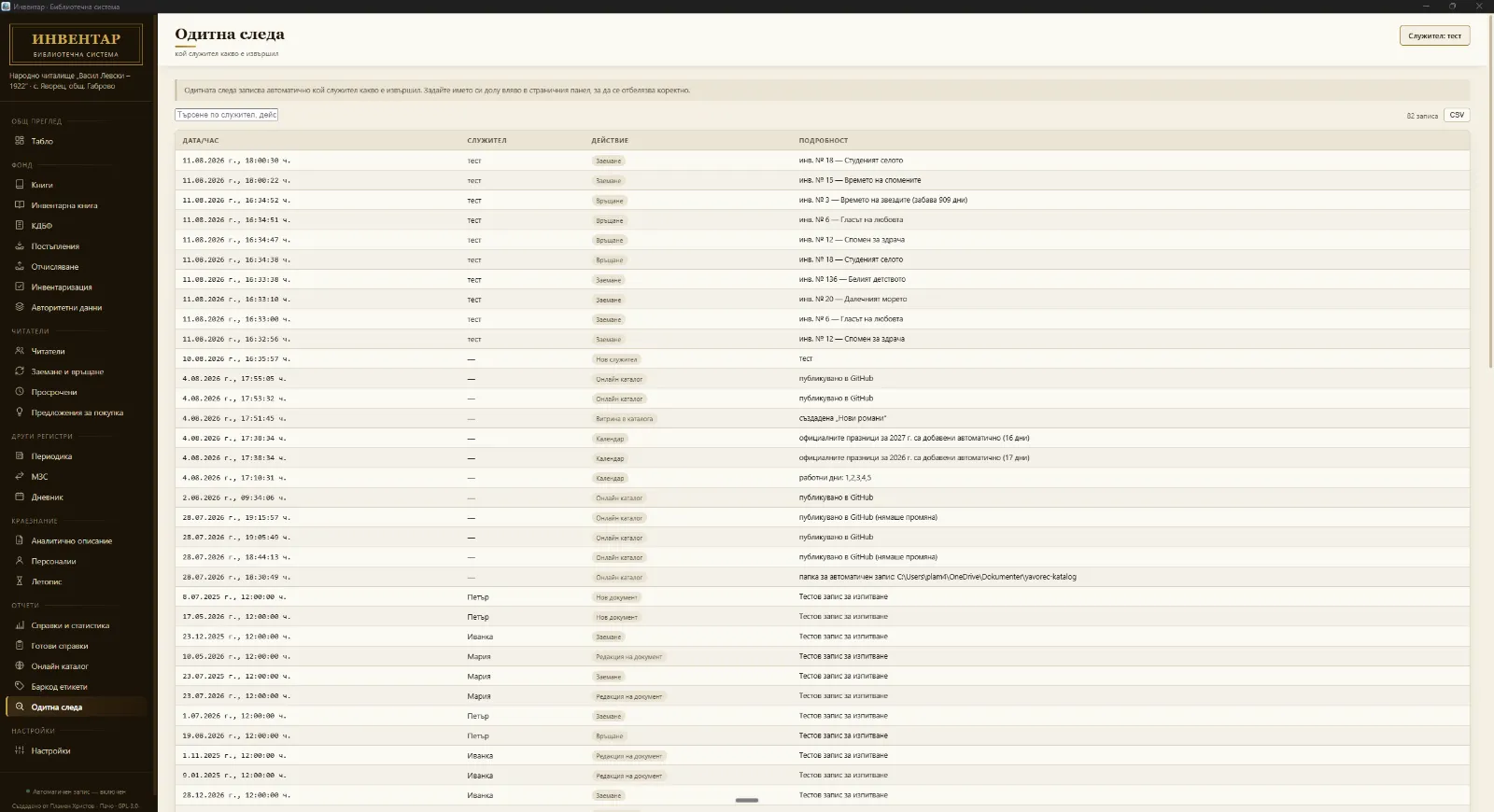
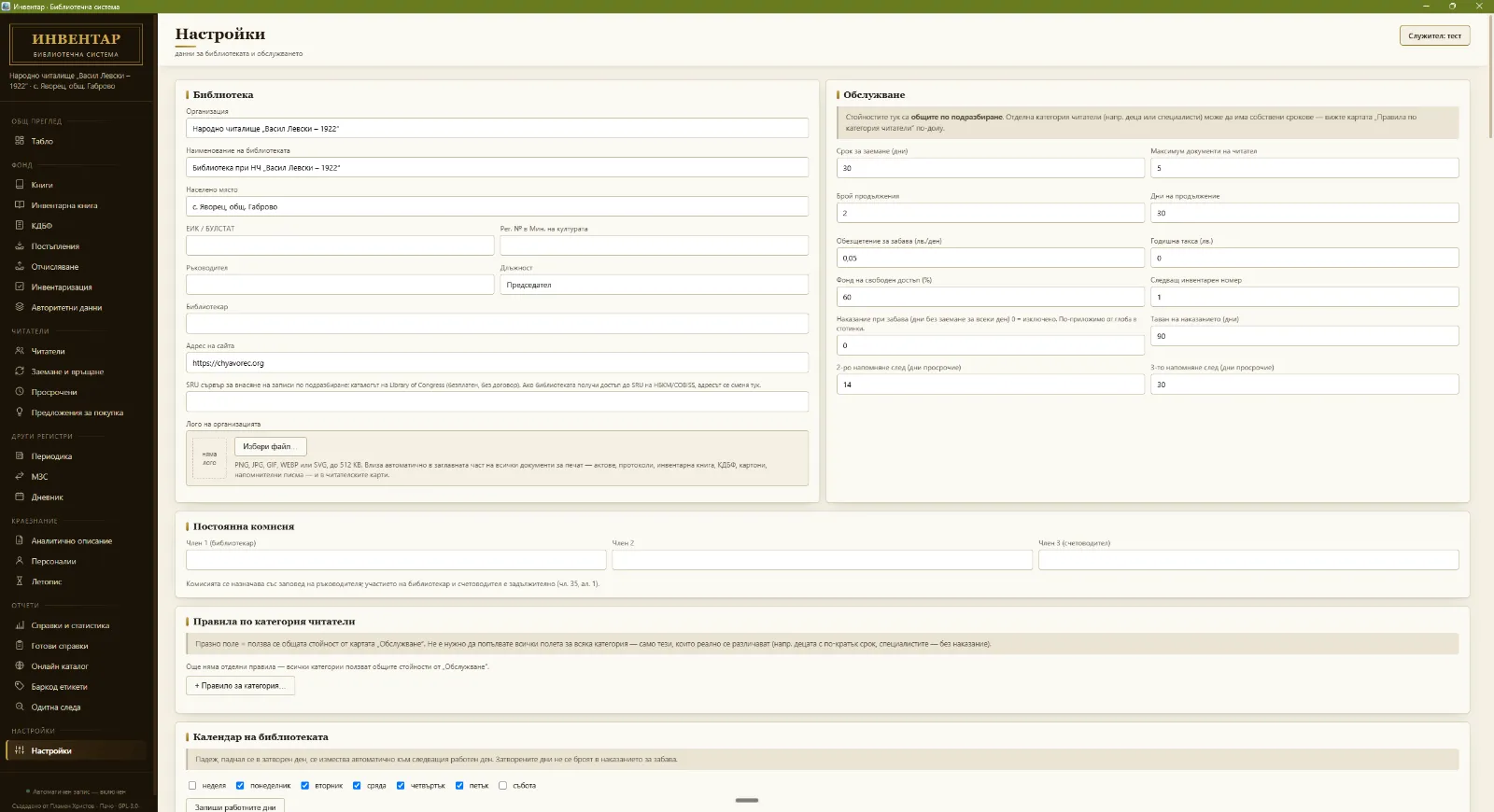
InvLib is built directly on the text of Bulgarian Ordinance No. 3 of 18 November 2014 on the standards for building library collections and for presenting, storing and reporting library data — the app's sections follow the ordinance's order and requirements, not the other way around.
Read the full guide to Ordinance No. 3 and the inventory ledger, or the full article-by-article compliance map in the repository's public documentation: naredba-3-karta.md. The dual BGN/EUR display follows the Bulgarian Act on the Introduction of the Euro in the Republic of Bulgaria for the transition period, and patron data protection follows Regulation (EU) 2016/679 (GDPR).
The information in this section is for general guidance only and does not constitute legal advice. For regulatory questions, consult the current official text of the ordinance.
The latest InvLib-Setup-X.Y.Z.exe from GitHub Releases — the current
version is 2.4.87.
Windows will show a blue "Windows protected your PC" box — because the installer has no purchased code-signing certificate yet, not because anything harmful was found.
From there the installer and interface are entirely in Bulgarian.
Library name, address, and committee are entered once, on first launch.
Checked with VirusTotal
Every release is uploaded to VirusTotal automatically by GitHub Actions the moment it is published and checked by every antivirus engine there. The result below is for version 2.4.87 and updates itself.
A hit from a few engines on an unsigned installer is almost always a false positive — see the explanation and steps below; the full report shows exactly which engines.
The result appears here automatically with the next site update, with no manual step.
Requires Windows 10 or 11 (64-bit). An internet connection is only needed for automatic updates, ISBN lookups, publishing the online catalog and the anonymous installation report (see "Installation statistics") — everything else works offline. Release date: 21 October 2026 — full release notes.
No. The installer doesn't carry a purchased code-signing certificate yet, and that is exactly what Windows SmartScreen is warning about — that it doesn't recognise the publisher, not that it found anything harmful in the file. Every new unsigned program gets the same warning.
How to continue — see step 2 above. Run anyway only appears after More info, which is why "Don't run" looks like the only option at first.
If an antivirus deletes the file: that's a false positive, for the same reason. It can be reported to the vendor, and anyone can verify that the file they downloaded is exactly the published one by comparing its checksum:
SHA-256: 66caf1e0eb700d1e9758ceefc58908b8c9b4a343258745465d198ae9afc4507f
— full checksum file: SHA256SUMS.txt.
In detail, with the steps for each antivirus (in Bulgarian): Installation & code signing. Buying a certificate is on the roadmap.
InvLib is developed in the open on GitHub, under the GPL-3.0-or-later license. Every release is built automatically by GitHub Actions and passes over 2540 automated tests.
Recent changes
katalog branch, rarer and cleaner publishing. Only for libraries with a connected online catalogue (working folder — a git clone of the repository). The database version is not raised; nothing in the data changes.
Currently being tested by libraries. Developed by Plamen Hristov.
Design ideas are checked against established open-source systems in the library sector, but every borrowed idea passes through a filter: does it fit Ordinance No. 3, and the needs of one community library building, rather than a multi-branch consortium? Unlike the paid or institutional-membership systems common in Bulgaria, InvLib stays free, open-source, and deliberately focused, not a simplified copy.
Full documentation lives in the app's repository — for librarians and for developers alike. It is written in Bulgarian, and opens here on the page.
A complete guide to day-to-day work in the app — installation, library setup, and every section.
Open the manual (PDF) →A practical, article-by-article guide — inventory ledger, fund movement register, deaccession, stocktaking.
Read the guide →First-launch steps, and why Windows SmartScreen may warn about an unsigned installer.
Read more →For developers — the app's structure, IPC model, database, and design references.
Read more →Code style, tests, and what to check before opening your first pull request.
Read more →Scope and how to responsibly report a vulnerability — via GitHub Security Advisories.
Read more →Current priorities, as described in the app's repository.
Will remove the Windows SmartScreen and antivirus warnings. Options explored: SignPath Foundation, Azure Trusted Signing, Certum Open Source.
The app is generic by design — the goal is for more chitalishte, municipal and school libraries to try it and help shape it around their real needs.
Discussed openly in GitHub Issues; ideas are also checked against established open-source systems in the library sector.
Browse Issues →InvLib is currently being tested by libraries. The software is generic — a library's own details are entered in Settings, and nothing about any particular institution is written into the code.
The status above is summarised. A full breakdown by library — status, version and feedback — is on the Libraries testing InvLib page.
This list is not filled in yet — the software is still being tested by libraries. If you are testing or using InvLib and would like your library listed here, write to support@invlib.com — give the library's name and its website, if it has one.
Works offline; the library database stays in a local file on your computer and isn't uploaded to the cloud by default. Internet is used only for specific features — automatic updates, ISBN lookups, publishing the online catalog and the anonymous installation report.
National ID and ID-card numbers can be locked behind a shared password (AES-256-GCM), and old loans anonymized after a number of years you choose. Both are switched on from Settings, designed with GDPR's requirements in mind. For a patron who asks to be erased under Art. 17, "Erase this patron's data" does it without breaking the records the ordinance requires.
Every action is logged per staff member. A backup is made every day, every 3 hours and when the app closes — and, if you choose, to a second folder too (USB, another disk, a network share).
The app sends invlib.com a short piece of technical information about the installation itself — on first launch, after an update, and then at most once a day: an anonymous installation identifier (a random value, not derived from your machine or from you), the app version and the operating system; the server also records the date of last activity. It exists only to show how many libraries run which version.
No name, e-mail address, IP address, MAC address, hardware fingerprint or location is sent or stored. Nothing from your collection or about your patrons ever leaves your computer.
Reporting is on by default. To switch it off completely, add the line
"installReporting": false to the config.json file in the app's
settings folder.
Yes — no fees, no subscription, no "paid tier". The app is open source under the GPL-3.0-or-later license: anyone may read its code, use it, and change it, as long as those changes stay free too. Download the installer from GitHub (where the code is kept and published) and use it freely.
Yes. The entire database is a local file on your computer. Internet is only needed for automatic updates, ISBN lookups, publishing the online catalog and the anonymous installation report. Without internet the app works normally and shows no error.
Yes. For import the app reads tables — CSV, TSV, or Excel (.xlsx) — and you map the old file's columns onto the inventory ledger's fields, so an export from AB, iLib, or a spreadsheet of your own comes across without retyping. For export there is CSV, UNIMARC/MARCXML, and Dublin Core, so your data is never locked in here.
The database can live in a shared folder on the local network, with several workstations using it and an audit trail of which staff member did what. This is a supported setup, but SQLite is a file database, not client-server: it suits a handful of desks in one building, regular backups are recommended, and the app switches the database into a safer mode by itself once you move it to a network folder.
The tools are built in, but you switch them on in Settings — they are off by default. What exactly they protect is described under Security and privacy. The online catalog is designed not to publish patrons' personal data.
That is for the library and its methodological centre to decide, not the app. The ordinance allows the registers to be kept on paper or electronically, and InvLib prints the inventory ledger and the fund movement register in the official formats, so the printout can be bound and stored as before. Many libraries switch over gradually: new acquisitions go into both at first, and the paper ledger stays as the historical record.
GPL-3.0-or-later. The full text is in LICENSE.
Yes — the GPL-3.0-or-later license explicitly permits reviewing, modifying, and redistributing the code, subject to the license's own terms.
By itself. A copy is made every day, every 3 hours and each time the app closes. Daily copies are kept for 30 days, then one a week up to 3 months and one a month up to 2 years. If you choose, the daily copy is also written to a second folder — USB, another disk or a network share — so it isn't lost along with the computer. Copies are encrypted while personal-data protection is switched on and unlocked; without it they stay unencrypted, because a backup without a password beats no backup at all.
New versions are delivered directly through GitHub Releases and automatic updates — no manual reinstall.
Through GitHub Issues, or by email at support@invlib.com.
Open a suggestion in GitHub Issues — that's where development ideas are discussed and prioritized.
Get in touch with questions, feature requests, or help getting set up for the first time.